When you submit a removal request to a face-search engine — PimEyes, FaceCheck.ID, Lenso.ai, Clearview AI, any of them — they don't have a person look at your photo and visually compare it to the matches in their index. They run your reference photo through their own face-recognition model and check whether it scores high enough against the candidate matches to confirm you're the same person.
That means the quality of your reference photo isn't a polish thing. It's the difference between an approved removal and a generic rejection email. We've seen this play out across thousands of removal requests we've filed for paying customers, and the patterns are consistent enough to write down.
Why Photo Quality Matters (The Mechanism)
Face-recognition models extract about 128 to 512 numbers from a photo — a "feature vector" that represents the geometric relationships between facial landmarks (eye spacing, nose bridge, jaw angle, cheekbone position, mouth shape, etc.). To verify that two photos show the same person, the model compares the two vectors and checks whether the distance between them is below a confidence threshold.
If your reference photo is blurry, taken from a steep angle, or partially occluded by sunglasses or shadow, the model can't extract a clean vector. The score against the candidate matches comes back low. The reviewer (often automated) sees a low confidence score and rejects the request — even if the matches really are you.
The fix is upstream: feed the model the cleanest signal you can.
What a Good Reference Photo Looks Like
Same as a passport photo, with one or two extras. Specifically:
- Recent. Within the last two years, ideally. Faces age. The photos indexed about you are usually from the last few years; reference photos from a decade ago will score lower against current matches.
- Front-facing. Both eyes visible, looking directly at the camera. Not turned 30 degrees. Not chin-up. Not chin-down.
- Whole face in frame. The face should fill at least 30% of the image. Top of head visible. Chin visible. Both ears at least partly visible.
- Even, soft lighting. Indoor near a window, or outdoor in shade, both work. Avoid strong overhead lighting that creates shadows under the eyes, and avoid direct sun that creates hard shadows across the face.
- Neutral expression. Mouth closed or barely open, eyes open, no exaggerated expressions. Not because the model needs you to look stern — because exaggerated expressions distort the underlying landmark geometry.
- No face coverings. No sunglasses, no masks, no hats with brims that shade the eyes, no scarves over the chin or mouth. Reading glasses are fine; tinted glasses are not.
- High resolution. At least 500 by 500 pixels, ideally 1000 by 1000 or higher. Most modern phone cameras are well above this when you take a photo without zoom.
- Single person in the frame. No group photos cropped down. The model can sometimes get confused if there are partial faces in the background.
- No filters. No Instagram filters, no beauty mode, no AI enhancements that smooth or reshape the face. These literally change the geometry the model is measuring.
The Front-Facing Photo
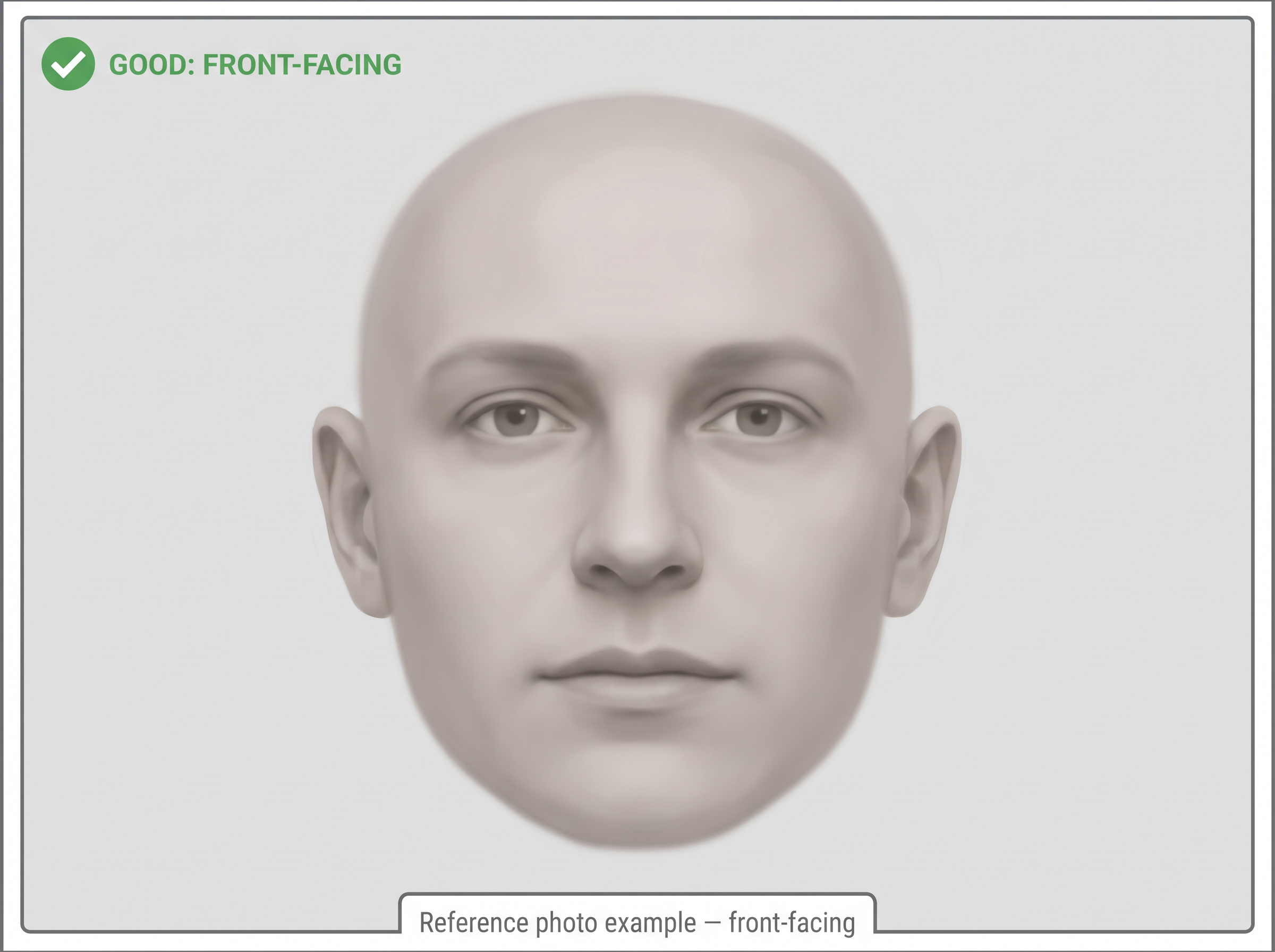
This is the primary verification photo. It does most of the matching work.
Hold the camera at eye level. Look straight into the lens — not at the screen below the lens, which causes a slight downward gaze. Keep your head level, neither tilted left/right nor pitched up/down. Both ears should be visible (or at least the parts not covered by hair).
A plain, mid-tone background helps but isn't required. The model only cares about the face region; busy backgrounds get ignored. What does matter is that no part of the face is in shadow.
If you wear glasses every day, you can submit one photo with glasses and one without — but if you have to pick one, pick without. Glasses occlude the bridge of the nose and the orbital region, both of which carry strong identity signal.
The Side Profile
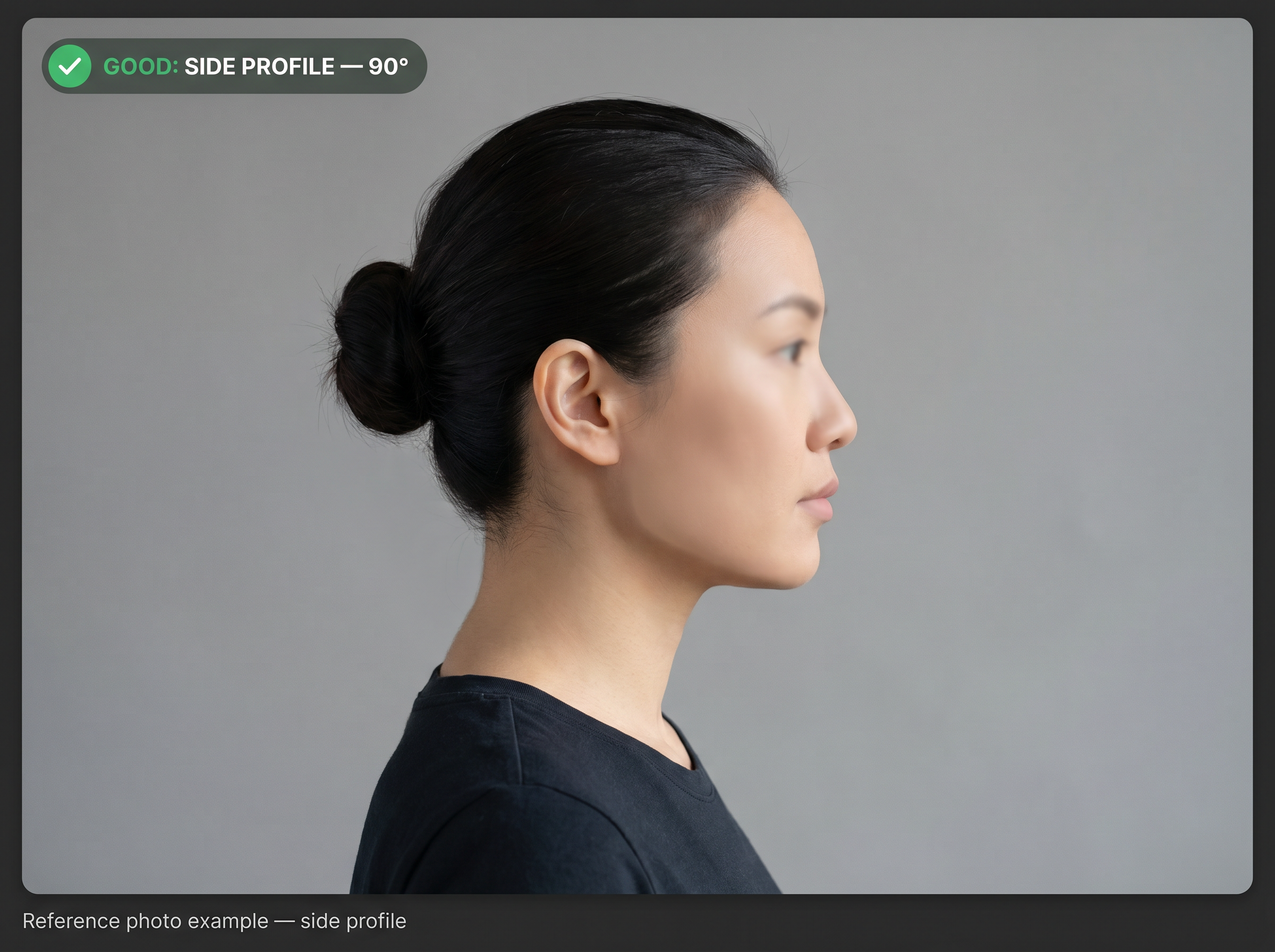
Some face-search engines (and our verification flow) also use a side profile. Profile photos add geometry information the front-facing photo can't capture: jaw angle, chin projection, nose bridge slope, ear shape, forehead curvature.
A clean side profile is taken at exactly 90 degrees to the camera. Both you and the camera should be at the same height. Hair pulled back if it's covering the ear or jaw. Same lighting principles as the front photo — soft, even, no harsh shadows.
The most common mistake here is a photo taken at 60 or 70 degrees instead of 90. Half-profile photos confuse the model — they're neither a clean front nor a clean side. Aim for the camera being directly off your shoulder, perpendicular to the direction you're facing.
What to Avoid
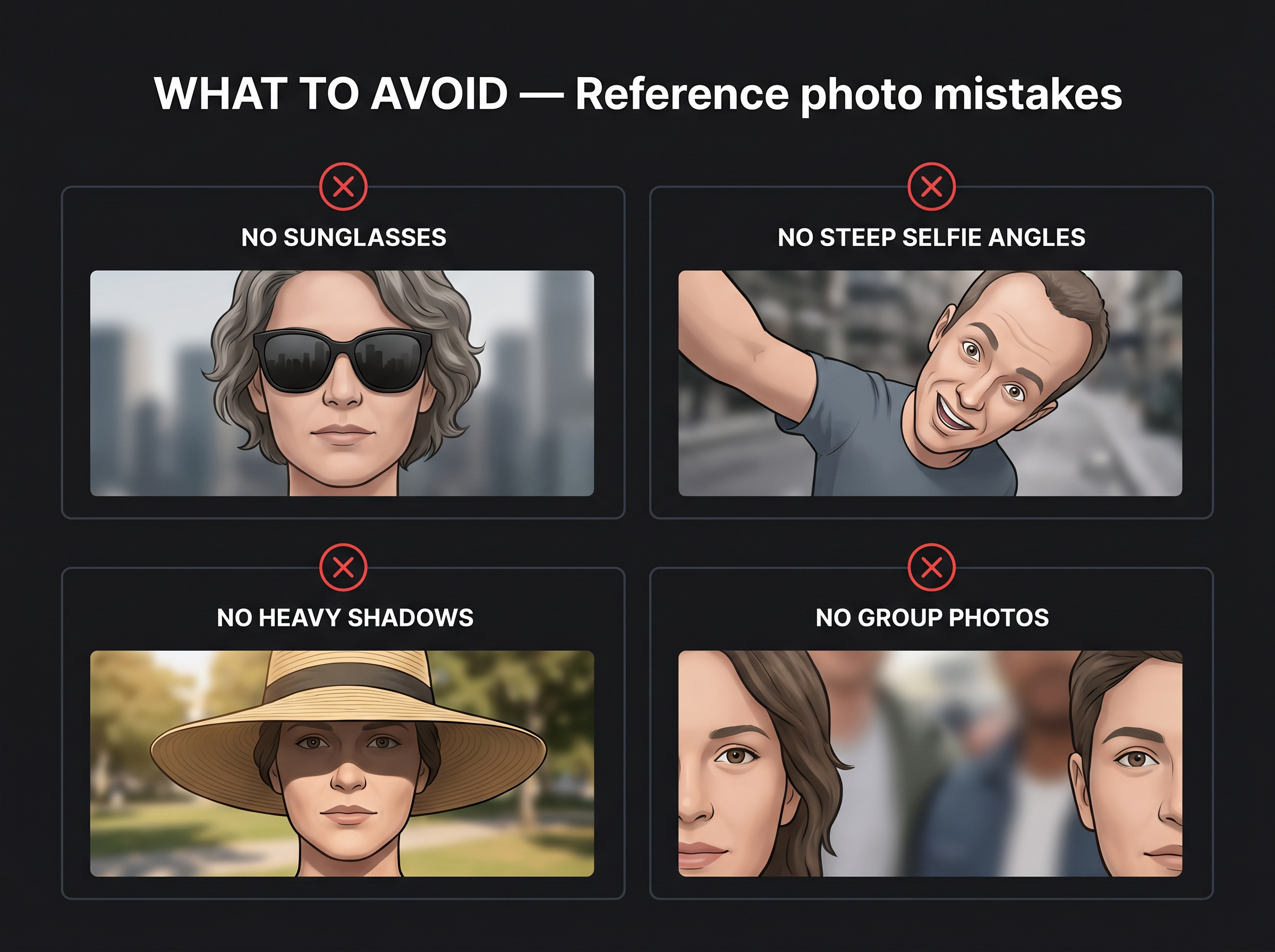
- Selfies at extreme angles. The classic arm-extended selfie tilts the head down and distorts proportions. Use a tripod, prop the phone up, or have someone else take it.
- Photos with anyone else in the frame. Even a partial second face in the background can throw off the detection step.
- Heavy makeup that significantly changes face shape. Day-to-day makeup is fine. Stage makeup, contouring designed to reshape the face, or false eyelashes that close the eye region can reduce match confidence.
- Old photos. If the only photo you have is from 8 years ago, it'll work, but expect more rejections. Take a new one if you can.
- Screenshots of photos. Compression and low resolution from secondary captures hurt the model. Use the original file.
- Photos with text overlays, watermarks, or stickers across the face. Even if the obscuring element is small.
- Photos where you're laughing, mid-shout, or making a "duck face." Distorted mouth and cheek positions reduce match confidence.
- Photos taken under colored stage lighting. Strong red, blue, or purple tints throw off some skin-detection layers.
- AI-generated or enhanced photos. If a photo has been through an AI face-edit tool or "beauty filter," it no longer matches your real face geometry. Use unedited originals.
If You Don't Have a Good Photo Right Now
Most people don't have a perfect passport-style photo sitting around. That's fine. Take one specifically for this:
- Stand near a window during the day so light comes from in front of you, not behind. Cloudy days are actually better than sunny days — softer light, no shadows.
- Prop your phone up at eye level (a stack of books works) or have someone else hold it.
- Use the rear camera, not the front-facing selfie camera. Rear cameras on most phones are higher resolution and don't apply the subtle smoothing that selfie cameras often do.
- Look at the lens, not the screen. Neutral expression. One photo from the front. One photo turned 90 degrees to the right (or left).
- Check both photos full-screen before uploading. If anything looks blurry or shadowed, retake.
Five minutes of effort here saves weeks of waiting on rejected removal requests.
What Happens to Your Photo (Our Side)
Worth saying clearly because we're asking you to upload your face: your photos are stored encrypted on our infrastructure, accessible only to the operations team filing your removal requests, and used for one purpose — submitting them as the reference photo to face-search engines that require one. They are not used to train any model. They are not resold. They are not shared with any party other than the specific face-search engine receiving a removal request on your behalf.
For supporting documents like ID scans, we only store anonymized copies. If you upload an already-redacted ID, that's what we keep. If you ask us to anonymize it for you, we redact the sensitive fields (ID number, date of birth, address, signature) and only the redacted version is retained — the original is discarded after redaction.
The face-search engines themselves typically state they delete the reference photo after processing the removal request. Whether or not you trust each individual engine on that point is a separate question — and one of the structural reasons people pay a service like ours rather than uploading their photo and ID directly to a dozen face-search engines individually.
If you ever want your photos deleted from our system, the dashboard has a delete control, and our support email handles confirmation. We don't keep them after you cancel.
Ready to upload?
If you already have a FacePrivacy account, you can update your reference photos any time from the dashboard. If you don't yet, signing up takes about three minutes.
Get started →