Every job seeker knows to Google themselves before an interview. Fewer realize the other side is doing something more powerful: taking your photo — from your application, your LinkedIn, your email avatar — and running it through a facial-recognition engine that finds every other picture of you online, regardless of what name or account it's attached to.
It's cheap, fast, and largely invisible to you. And it routinely surfaces things you'd never put in front of an employer — not because they're damning, but because they're yours, and you didn't choose to share them in a professional context.
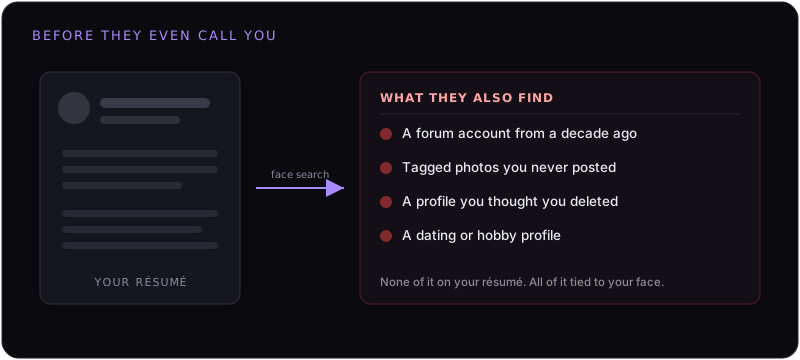
How a Hiring Face Search Works
It's the same paste-and-click flow anyone can run, just pointed at a candidate:
- They start with a photo you handed over. Your LinkedIn headshot, the picture on your application, even your email or Slack avatar — anything clear enough to read your face.
- They drop it into a face engine. The engine doesn't search for that file; it builds a faceprint and searches for your face across the public web.
- It returns other photos of you — under any identity. An old username, a tagged photo on someone else's account, a cached profile. The professional headshot and the unrelated old account are now linked by your face.
- They read your "unofficial" footprint. Everything you curated for work sits next to everything you didn't.
Some background-check vendors now fold reverse face and image search into their reports, so the hiring manager may not even run it themselves — it arrives pre-packaged.
What It Surfaces That Your Résumé Doesn't
The issue usually isn't scandal. It's context collapse — pieces of your life that are perfectly fine on their own, dragged into a setting they were never meant for:
- A hobby, fan, or forum account from years ago with your face on it.
- Photos other people tagged you in — a night out, a costume, a protest, a vacation.
- A dating profile, or a fitness or modeling profile, you keep separate from your career on purpose.
- An account you deleted that a face engine still has cached.
- Opinions, affiliations, or memberships you never disclosed because they're legally none of an employer's business.
None of that belongs in a hiring decision. But once a face match puts it on the same screen as your application, you can't un-ring that bell — and you'll rarely even know it happened.
Is This Even Legal?
Mostly a gray area, and it cuts against you. Using public information about a candidate isn't generally illegal, and there's usually no requirement to tell you a face search was run. Anti-discrimination law forbids making decisions based on protected characteristics — but a face search is exactly the kind of thing that reveals those characteristics (religion, health, pregnancy, political views, orientation) without leaving a paper trail. Formal background checks are regulated in places like the U.S. under the FCRA, but an informal "let me just search their face" usually isn't treated as one.
Translation: you can't count on the law to stop it, and you'll almost never get the chance to explain. Prevention beats appeal.
Why You Can't Just Clean It Up Yourself
The instinct is to lock down accounts and delete old profiles. Worth doing — but it doesn't address the mechanism:
- The faceprint already exists. Face engines scraped these images long ago. Deleting the original post doesn't remove the template they extracted — see why deleting your photos doesn't remove them from face search.
- You don't own most of the photos. The tagged and third-party images stay public no matter what you set your accounts to.
- You're searching the wrong way. Reverse image search makes you feel safe; reverse face search is the real exposure. (We break down the difference in image search vs. face search.)
What You Can Actually Do
Two layers — tidy what you control, then remove what you don't:
- Audit yourself with a face engine, not Google. Run a recent photo through a face search to see what a recruiter would see. Our 10-minute self-audit walks you through it.
- Lock down and untag where you can. Set old accounts private, remove face-forward profile photos, ask close contacts to untag identifiable shots.
- Remove your faceprint from the engines. This is the step that actually severs the link between your face and everything attached to it. File opt-outs with each face-search engine — and re-file, because new scrapes put you back.
That last step is the one that scales the protection: with no faceprint to match, a recruiter's photo of you returns a dead end instead of your entire off-résumé life.
Don't let a face search interview you first.
FacePrivacy removes your face from PimEyes, FaceCheck.ID, Lenso.ai and the other major face-search engines — and keeps it removed — so the photo on your application doesn't lead a stranger to everything else you've ever posted.
Protect your face →