What happens at the podium
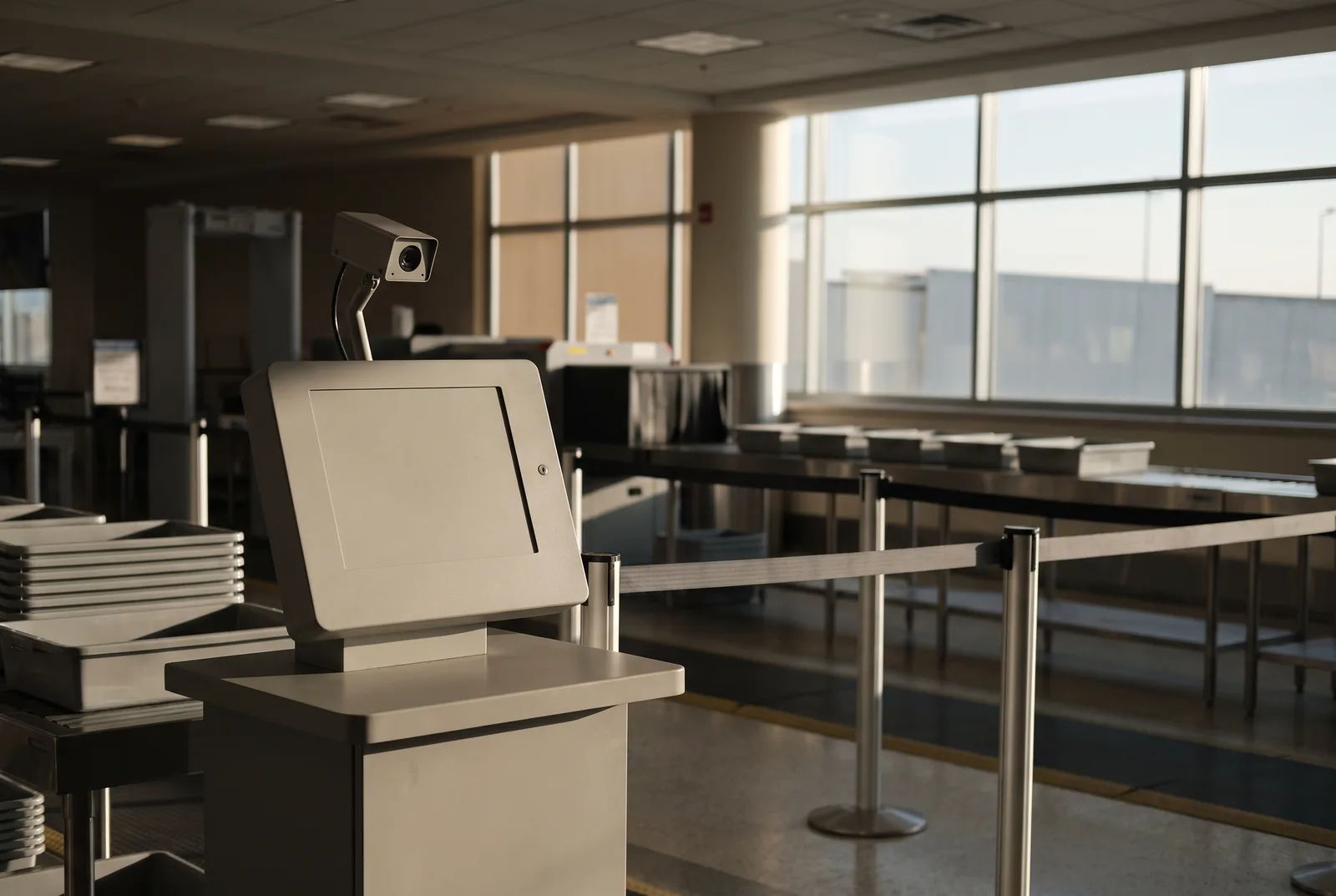
The machine is called CAT-2, short for Credential Authentication Technology, second generation. It does three things in a few seconds.
- Reads your ID and checks that the document is genuine.
- Pulls your flight and PreCheck status from the Secure Flight system.
- Takes a live photo and compares it to the photo on your ID. The officer sees a match result, not a name search against any database.
TSA states the technology “will not be used for surveillance or any law enforcement purpose” and that CAT-2 units are at approximately 350 airports (TSA factsheet). A federal oversight report counted more than 2,100 machines at more than 250 airports as of April 2025, with plans to reach 400-plus (DHS OIG-26-27, via Biometric Update).
How long the photo is kept
There are three answers, depending on which mode the machine is in.
- Normal screening: not kept. TSA’s factsheet: “Photos are not stored or saved after a positive ID match has been made except in a limited testing environment.” The audit describes the data as overwritten when the next traveller is processed or the officer logs off.
- Testing mode: up to 24 hours on the machine. Selected units can hold data for a day during authorised testing. TSA says these events are limited in time and place and start with signs telling passengers (TSA FAQ).
- Performance analysis: up to 24 months. The DHS Science and Technology Directorate can keep facial images for two years to evaluate how well the technology works. Same audit, same caveat: only during announced data-collection events.
So the honest answer for a normal trip is seconds. The honest answer if you walk past a data-collection sign is up to two years.
What the September 2026 audit found
On 15 September 2026 the DHS Office of Inspector General published report OIG-26-27 on the CAT-2 programme. The finding that matters to travellers is about the contractor, not the officers.
- The vendor could pull your ID images. During troubleshooting and upgrades, the contractor could access and extract passengers’ driver’s licence and passport images without TSA’s knowledge.
- Nobody was counting. TSA did not track when extractions happened and could not verify the contractor deleted what it took.
- Passengers were not told that their data may have been stored this way.
The report does not say how many passengers, which airports, or when. It confirms the deletion policy for normal operations and faults the controls around the exceptions (summary of OIG-26-27).
How to opt out, in one sentence
Before you put your ID on the reader, say: “I’d like to opt out of the photo, please.” Then hand over the ID as usual.
- It is your right. TSA: travellers “may decline the optional photo, without recourse, in favor of an alternative identity verification process.”
- It costs you nothing. TSA’s own wording: declining will not take longer, and you will not lose your place in line. The officer checks your ID against your face the old way.
- You do not have to explain. If an officer pushes back, the factsheet above is public. Signs at the checkpoint say the technology is optional, and TSA says the CAT-2 screens are being updated to say the same.
Say it first. Once the camera has fired, the comparison has already happened.
TSA PreCheck Touchless ID is a different programme
Touchless ID is the lane where you show nothing at all. It only works if you opted in through your airline app or Google Wallet, and it runs on a different photo.
- It uses your passport photo, matched through Customs and Border Protection’s Traveler Verification Service, not the picture on your driver’s licence (TSA).
- Deleted within 24 hours of your scheduled departure, according to TSA’s Touchless ID page. TSA’s programme evaluation page separately cites a 180-day retention schedule for demonstration data, so treat the trip-level data as gone in a day and the programme records as longer (TSA Touchless ID).
- You switch it off where you switched it on: the airline profile. Delta says it stores no biometric data itself and that customers can opt out at any time. All five big US airlines now support it at 65-plus airports.
Bring physical ID anyway. TSA requires it as a backup even in the Touchless lane.
The boarding gate and the cruise port are CBP, not TSA
The camera at an international gate or a cruise terminal belongs to a different agency with different rules. Customs and Border Protection runs it, even when the airline or cruise line’s branding is on the stand.
- US citizens can decline and ask for a manual document check by a CBP officer (CBP).
- Retention follows CBP’s own schedule, which differs for citizens and non-citizens. Check CBP’s biometrics page before an international trip if it matters to you.
The photo that actually follows you
The checkpoint photo is compared once and, in normal operation, overwritten. It never leaves the airport. The photos that do follow you are the ones already on the open web: a tagged album, a conference page, an old profile. Face-search engines have indexed those, and anyone with a payment card can run your face against them.
- Those never expire on their own. There is no 24-hour clock on a PimEyes result.
- They can be removed. Each engine has an opt-out. We file them for you and re-file every month, because engines re-crawl.
- Start with the free check. Ten minutes tells you what is out there today.
Common doubts
“Will opting out flag me for extra screening?”
TSA says no, in writing: no recourse, no lost place in line. Opting out is a document check, which is what everyone got until 2022.
“Is the podium photo added to a watchlist?”
Not according to TSA, which says the technology is not used for surveillance or law enforcement and that the photo is compared to your ID, not searched against a gallery. The 24-month exception is for performance testing at announced events, and the audit’s criticism is about vendor access controls, not secret watchlists.
“Why does a face-removal service care about TSA?”
Because the checkpoint is where most people first notice their face being scanned, and then look for the real exposure. We remove your photos from face-search engines. We cannot touch government systems and do not claim to.
“What does it cost?”
US$9.99 a month, or US$7.99 a month billed annually. Cancel from your dashboard whenever you like. Web payments made through Stripe carry a 30-day money-back guarantee.
Handle the photos that never get deleted.
Upload two photos. We file removal requests with the major face-search engines and re-file them every month.
Remove my face from search engines →